The result
From a blank page to the foundation of DataRobot’s Agentic AI platform.
In about a year, we went from no GenAI capabilities to general availability, in April 2024. Clients adopted it as their entry point into GenAI, and it became a core offering. I led the design from the first screen.
-
Core client offer
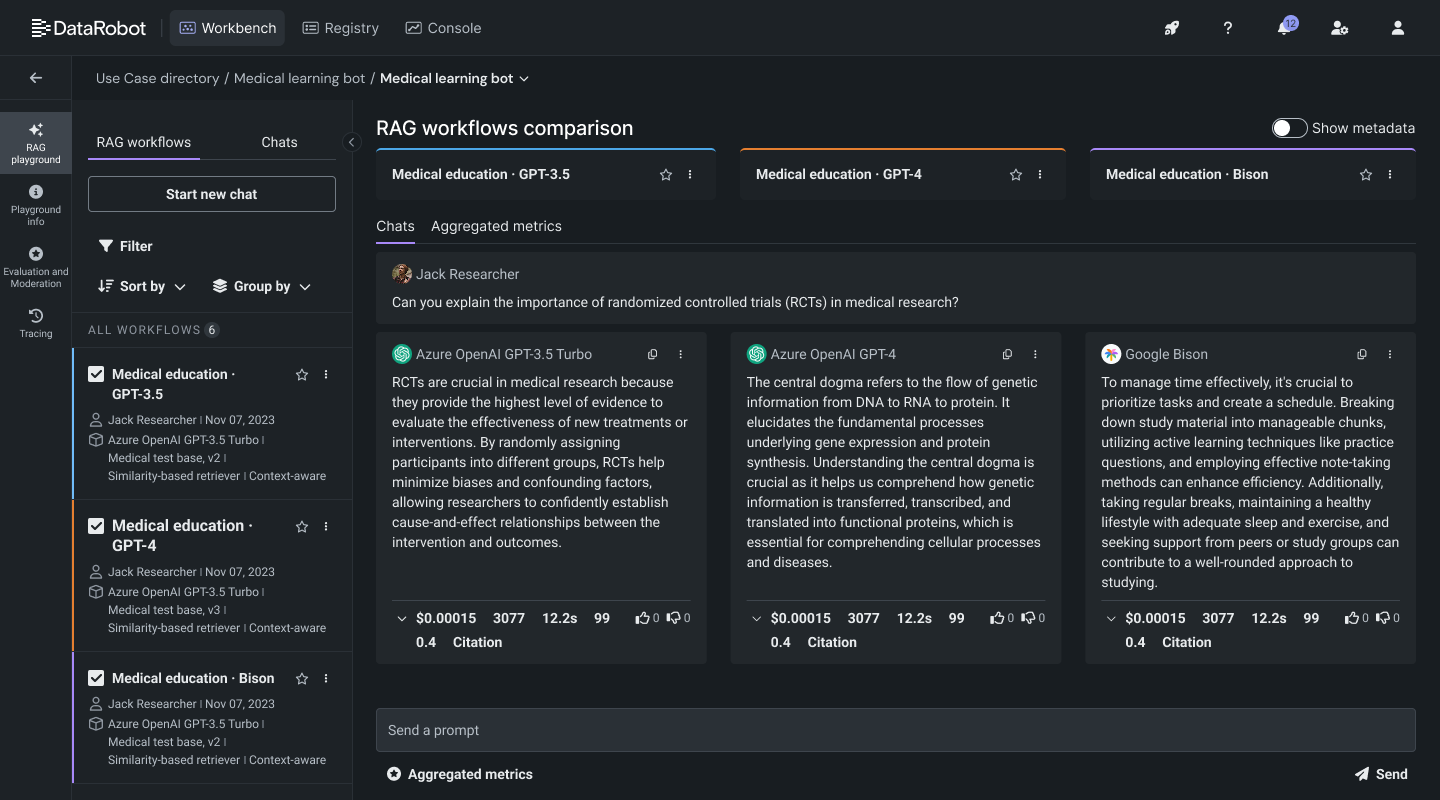
Shipped from zero: the Playground, RAG workflows, comparison, evaluation and moderation, citations and tracing.
-
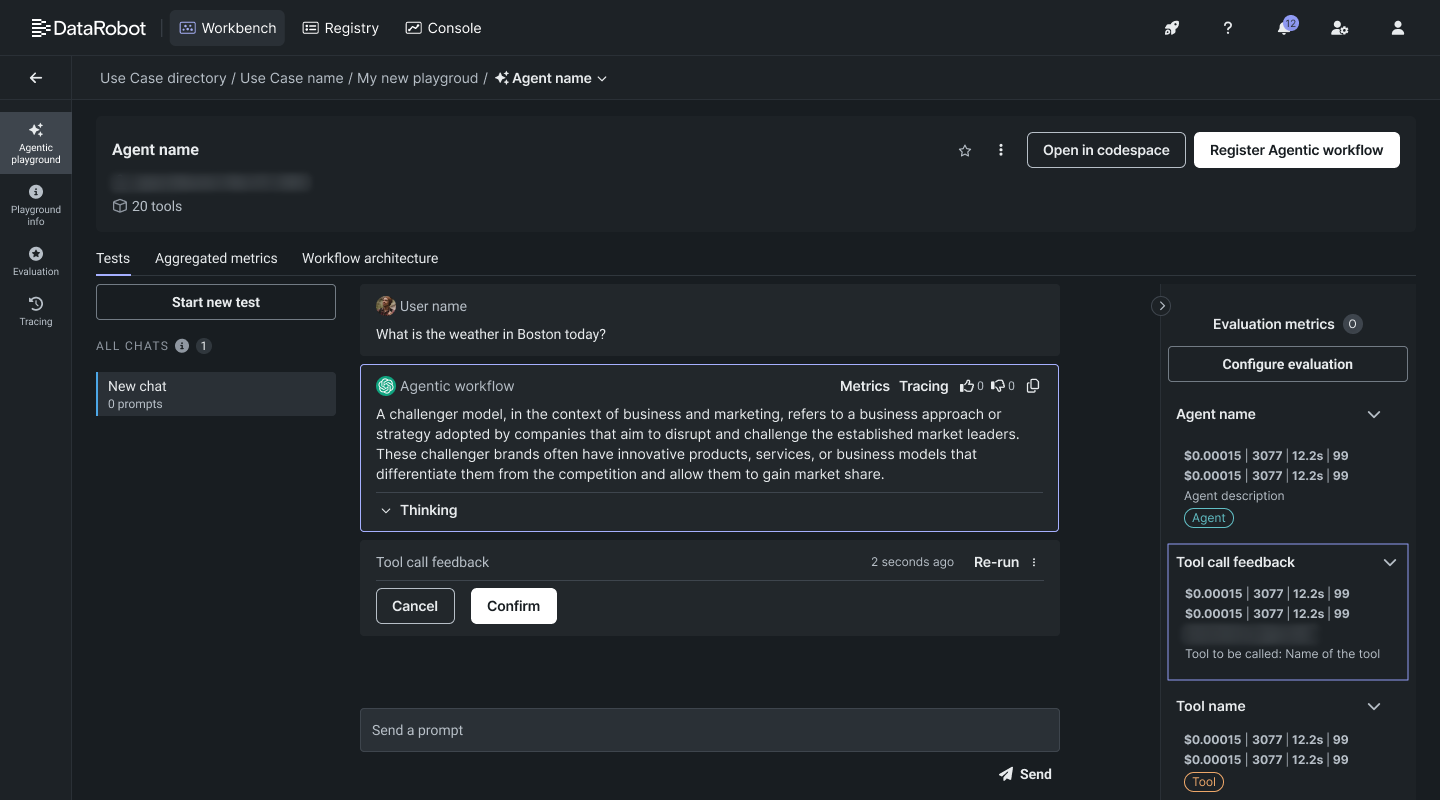
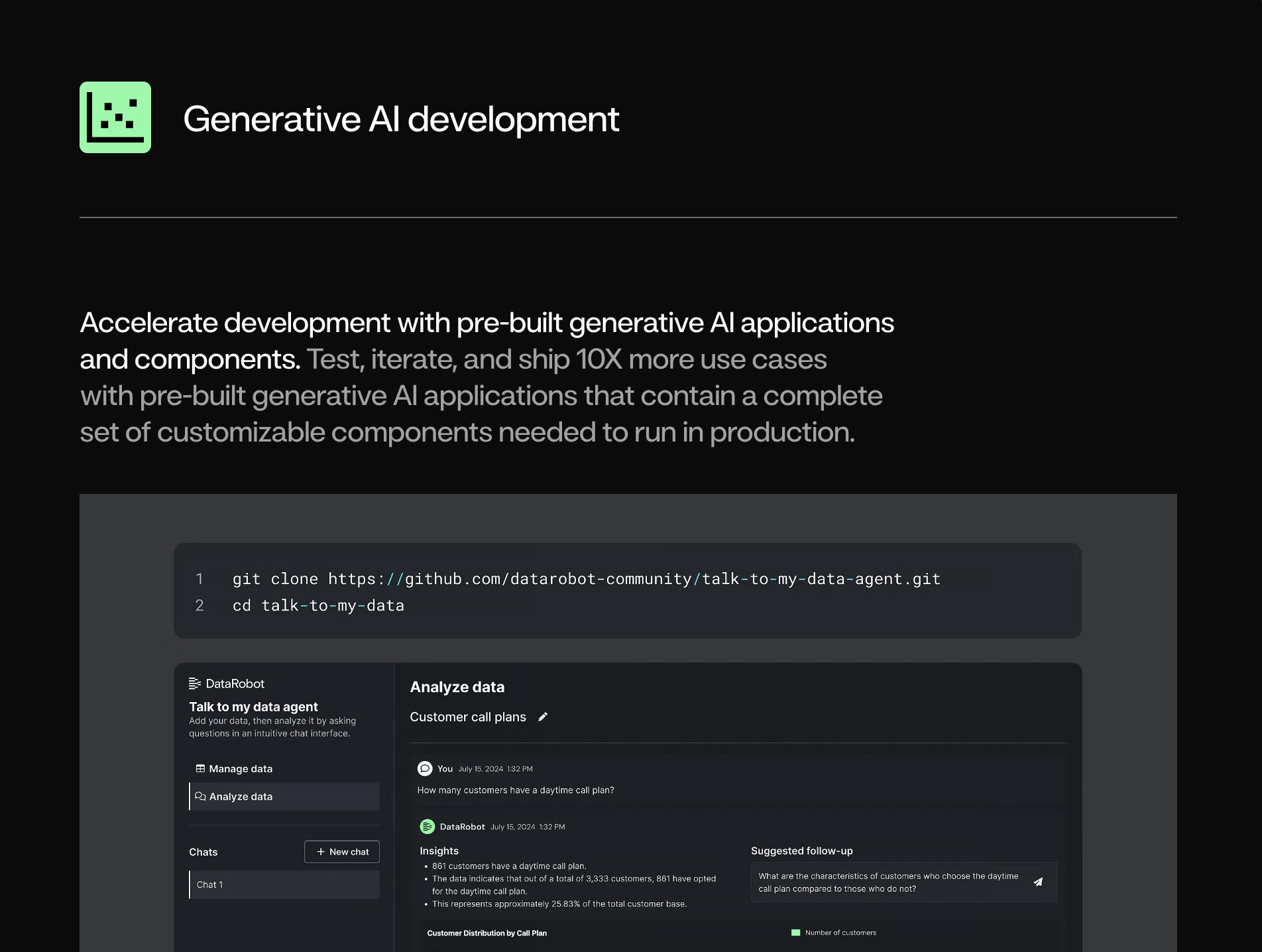
Foundation for Agentic AI
The layout I designed for GenAI carried over into the Agentic playground.
-
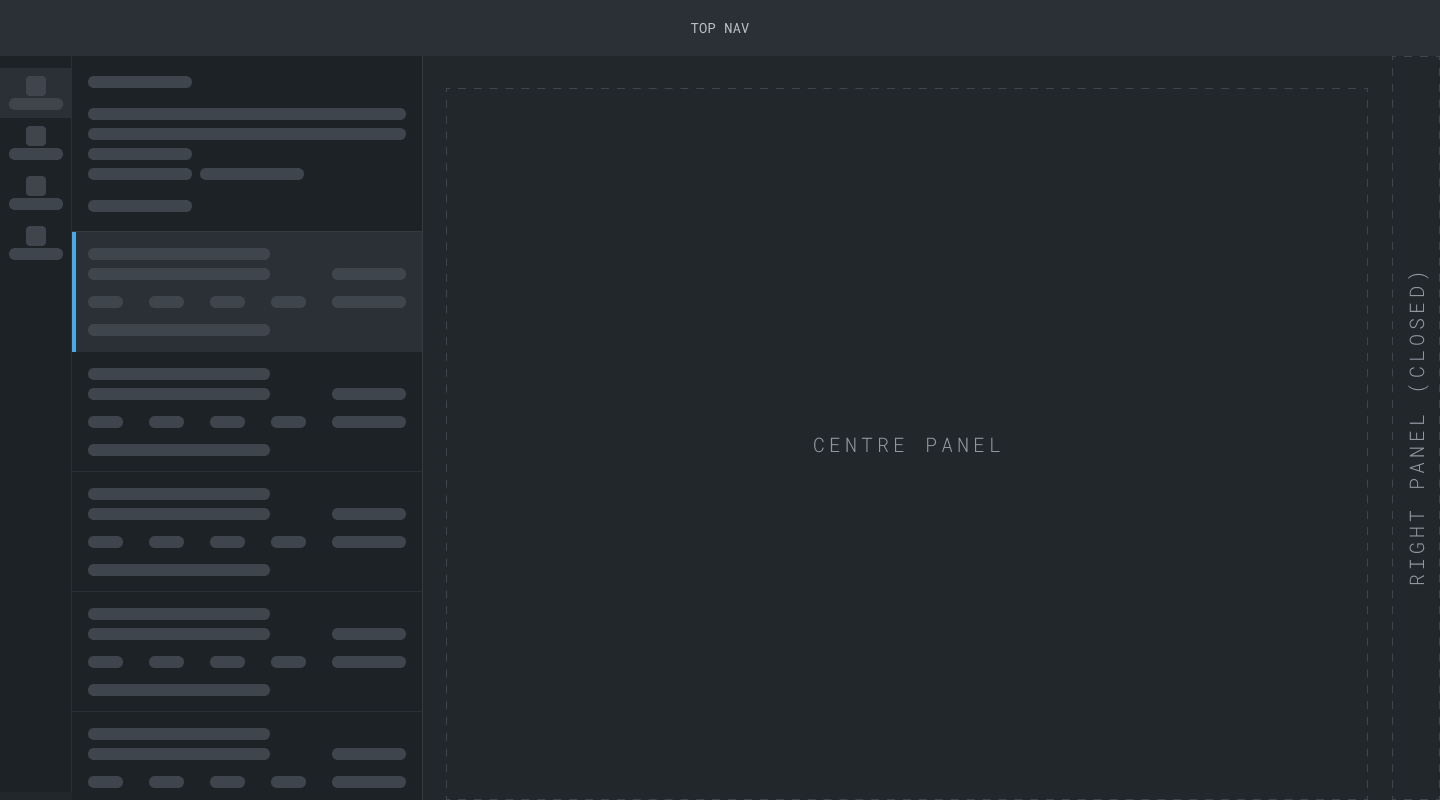
Patterns adopted platform-wide
The sidebar I proposed spread across all three major areas, from data and ML experiments to deployments and agents.
The problem
A platform built around distinct stages met a technology that collapses them.
DataRobot’s platform was built around the ML lifecycle. That lifecycle is iterative, but its stages are distinct: prepare data, train, evaluate, deploy, monitor. Each stage could live in its own part of the product. GenAI blurs those boundaries. Users change a model, a prompt or the data, chat with the result, judge it, and adjust within minutes, so configuring, testing and evaluating happen almost at once.
Our users were data scientists and ML engineers, some working in the UI and others entirely in code, and the new experience had to serve both. Over time a new kind of user emerged from this work. We started calling them AI builders: a name for what they do, which could cover several official roles.
In early 2023, DataRobot had no GenAI capabilities and there were no established patterns for GenAI tooling. Businesses were still working out what generative AI could do for them, and our clients came to us for answers. The platform architecture was built for ML, so shipping fast meant finding workarounds, while the backlog grew with every new model release.
We built GenAI into the platform rather than as a separate product, so the Playground sits where users already ran ML experiments. It was a team decision, and I influenced the placement based on the user journey and how we expected the technology to evolve. Expert reviews and early adopters inside the company backed it up. The trade-off: no clean slate, since every flow had to work around an architecture built for ML. But it let us move fast, and later made the move to Agentic AI smooth for design and engineering.
ML lifecycle
Distinct stages, each in its own part of the product.
GenAI
A tight cycle in one space, with deployment and monitoring still downstream.
My role
One designer, multiple teams, no playbook.
I led the design. I was the only designer at the start, working across 2 PM tracks and multiple engineering teams. A second designer joined as the work grew into Agentic AI.
- I owned: the end-to-end GenAI experience (the Playground, the chat pattern, the sidebar navigation, evaluation and moderation, citations, and tracing) in one Figma file for the whole flow. That included LLM configuration built to support models that didn’t exist yet, with bring-your-own LLMs and vector databases.
- I influenced: scope with 2 PMs, code-first trade-offs with engineering, and terminology with the documentation team.
The design core
The stages collapsed, so I designed for two speeds of iteration.
Fine-tuning one RAG workflow and testing multiple competing solutions are different jobs, so each got its own place.
The small loop lives on one screen
Users see all their test chats in the center and can run evaluations and compliance tests right there. A panel on the right lets them tweak parameters, configure the vector database, and add context. Change, chat, evaluate, adjust, without leaving the screen.
RAG workflow

- Playground navigationMoves between Playground areas: comparison, evaluation and moderation setup, tracing.
- RAG workflows base infoIdentify the object fast and move between its aspects.
- Evaluation areaChat with the RAG workflow to check that configuration changes worked as expected.
- ConfigurationFine-tune the LLM, vector database and context.
The big loop gets its own space
Comparing RAG workflows lives on a dedicated screen, where users send one prompt to multiple RAG workflows side by side and pick a winner. It didn’t start that way. The individual view and comparison began together, until usability testing with internal experts showed they were conflicting angles on the same information. So I split them. The trade-off: users move between two screens instead of seeing everything in one place.
Comparison

- Playground navigationMoves between Playground areas: comparison, evaluation and moderation setup, tracing.
- RAG workflows master listSelect workflows to compare, or open one for a closer look.
- Main comparison areaOne prompt, sent to multiple RAG workflows at a time.
Testers told us they could run the experimentation loop easily. The sidebar that tied the loops together was a new pattern I proposed for an established platform, and all three major areas went on to adopt it, across objects like data, ML experiments, registered models, deployments and agents.
Feedback shaped what came next
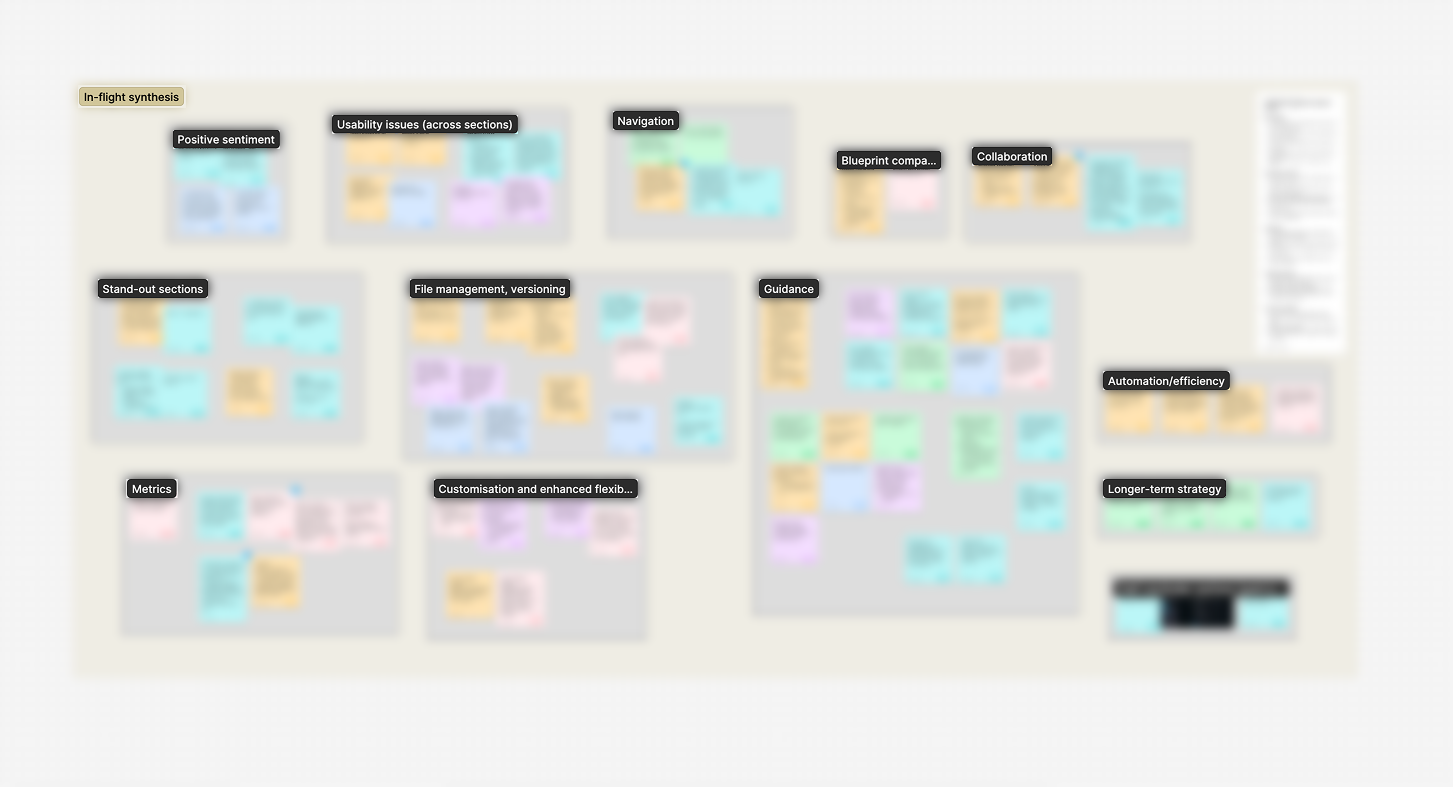
What we heard.
With no customers to ask yet, we asked internal tech experts to run the flow and look for big and small issues, then synthesized their feedback on a board.
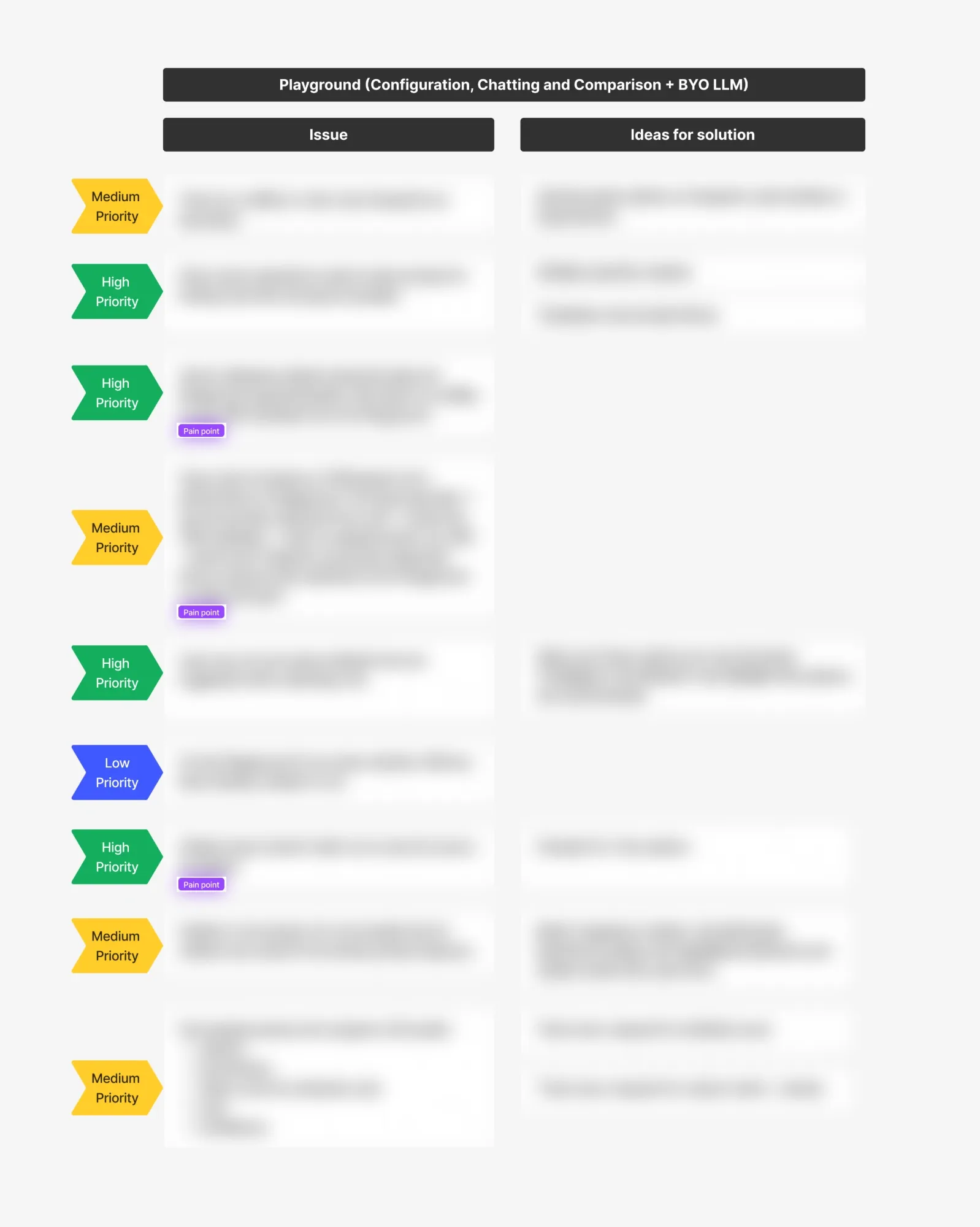
What we prioritized.
That feedback became a prioritized backlog for the next major milestone.
Designing for trust
Trust had to be designed, not assumed.
Users can’t adopt what they can’t verify. I designed the features that make RAG workflows trustworthy:
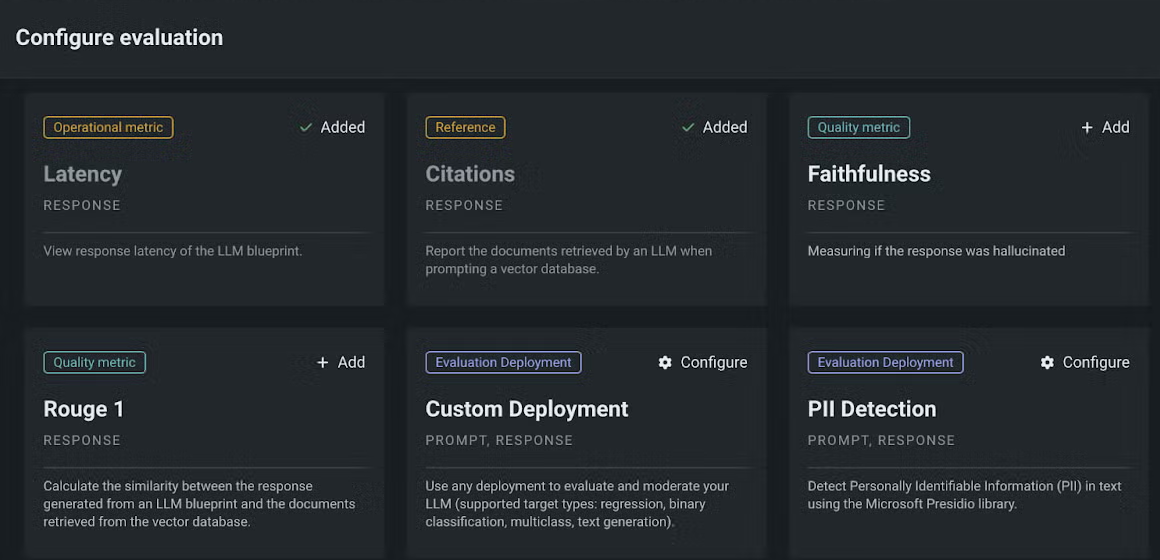
Configure evaluation
Includes moderation and guardrails, which users set up and run on a workflow.
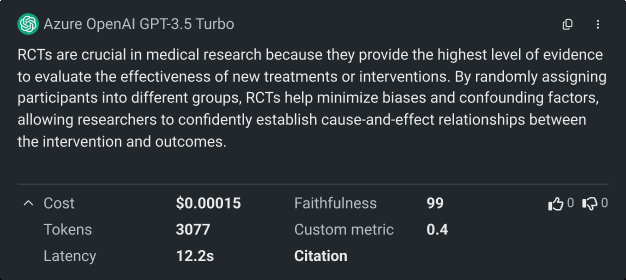
Review on response
Scores and a link to the citation sit right under each answer.
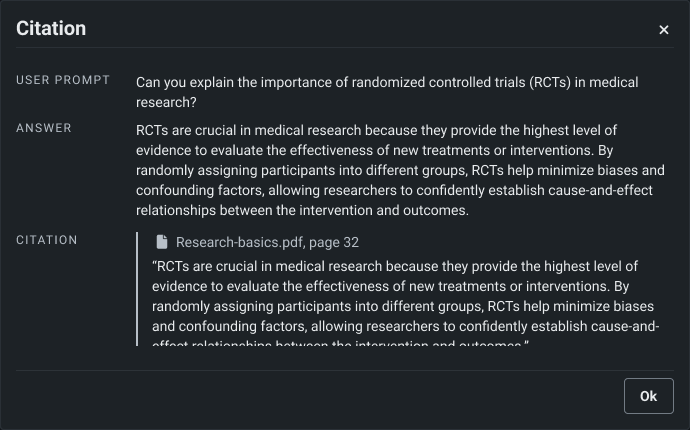
Check the source
Users can see where an answer came from.
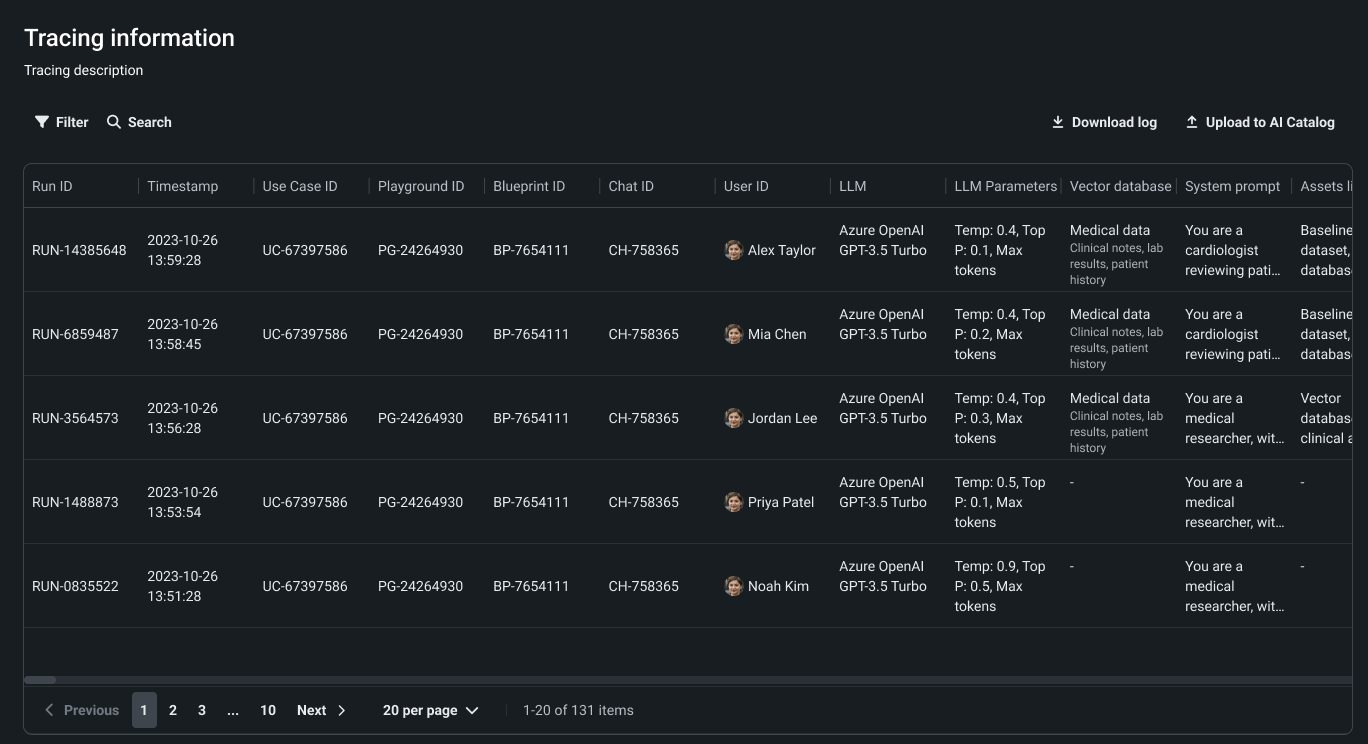
Trace the run
I designed the initial tracing for RAG workflows and owned it from then on, as it evolved into the code-first experience for agents.
Impact
What the work made possible.
The work kept paying off after launch. Later teams built on the GenAI components instead of starting over, and the sidebar became part of the design system. The chat pattern spread across the product, and the tracing I first designed for RAG workflows evolved into the code-first experience for agents.
Research after launch also showed us which features people needed to get better quality and trust GenAI output. That prepared us for the Agentic world, where ambiguity is higher and credibility matters even more.
April 2024
GenAI in GA
Production capabilities
Agentic AI stream
By 2026
Agentic platform
Reflection
In deep ambiguity, I learned to decide quickly and stay ready to change course.
GenAI tooling had no patterns to follow. That was daunting and exciting in equal measure, and I learned to use both: the uncertainty kept me questioning every assumption, and the excitement kept the team moving. We made the best call we could, put it in front of people, and revisited it when we learned more. In 2023, prototyping was expensive, which limited how many options we could try. Today I’d build many working versions with AI tools and test them with real users much earlier.